Both-Side Marge ID Card Tool
A secure, offline-first client browser application to crop, zoom, and safely compile both sides of layout documents perfectly centered onto an A4 sheet.
1. Card Alignment & Direct Cropping
Front Side Image Source
Align or crop front view coordinates
Drag photo here or browse
Supports JPEG, PNG, WEBP. Local processing.
Back Side Image Source
Align or crop back view coordinates
Drag photo here or browse
Supports JPEG, PNG, WEBP. Local processing.
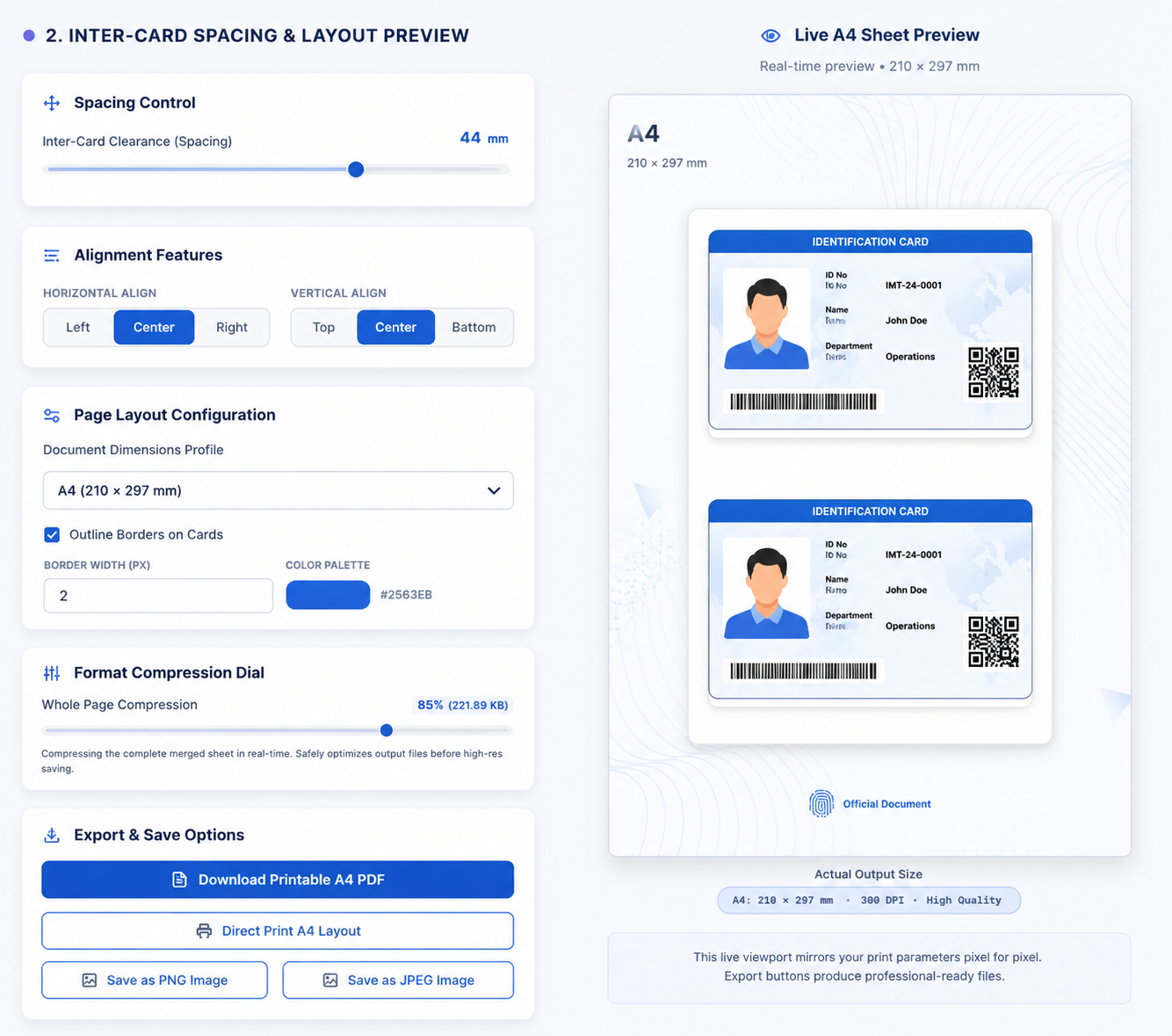
2. Inter-Card Spacing & Layout Preview
Spacing Control
Alignment Features
Page Layout Configuration
Format Compression Dial
Compresses the complete merged sheet in real-time. Safely optimizes output files before high-res saving.
Export and Save Actions
This live viewport mirrors your print parameters pixel-per-pixel. Export buttons compile with professional margins.
Precise Crop & Zoom - Front Side Workspace
Position the aspect box perfectly onto the identity card edges
Both-Side Marge ID Card Tool
The Both-Side Marge ID Card Tool allows users to combine the front and back sides of an ID card into a single page with advanced customization options. Users can upload ID card images, adjust spacing between cards, customize page layouts, crop images for perfect alignment, and compress files to reduce size while maintaining quality. The tool is ideal for Aadhaar cards, PAN cards, driving licenses, voter IDs, employee IDs, and other identification documents. With instant preview and download options, users can create professional-looking ID card layouts directly in their browser without installing any software.

How to Use
Upload the front side image of your ID card. Upload the back side image. Adjust the position and layout if needed. Merge Front & Back ID Cards, Image Crop Tool, Image Compression, Custom Spacing Control , Multiple Layout Options, Live Preview , High-Quality Output ,Mobile & Desktop Friendly , Fast Processing, No Software Installation Required
Frequently Asked Questions
What is the Both-Side Marge ID Card Tool?
It is an online tool that combines the front and back sides of an ID card into a single image.
Which ID cards can I use?
You can use Aadhaar cards, PAN cards, driving licenses, voter IDs, employee IDs, student IDs, and more.
Is the tool free?
Yes, the tool is completely free to use.
Can I use it on mobile devices?
Yes, the tool works on smartphones, tablets, and desktop computers.
Will the image quality be affected?
The tool is designed to maintain high image quality during the merge process.
Do I need to install software?
No, everything works directly in your web browser.
Can I preview the merged image?
Yes, you can preview the final result before downloading it.
What image formats are supported?
Most common image formats such as JPG, PNG, and A4 PDF are supported.